AI podcast app for iPhone and iPad

Podcast Everything

Podcast It turns a topic, a video, an image, or an audio clip into a podcast episode with two hosts, a transcript that follows along, and cover art. Learn a language, understand a foreign-language video, or finally get a hard subject explained.

Download Podcast It on the App Store

Free to try · iPhone and iPad · iOS 26 or later

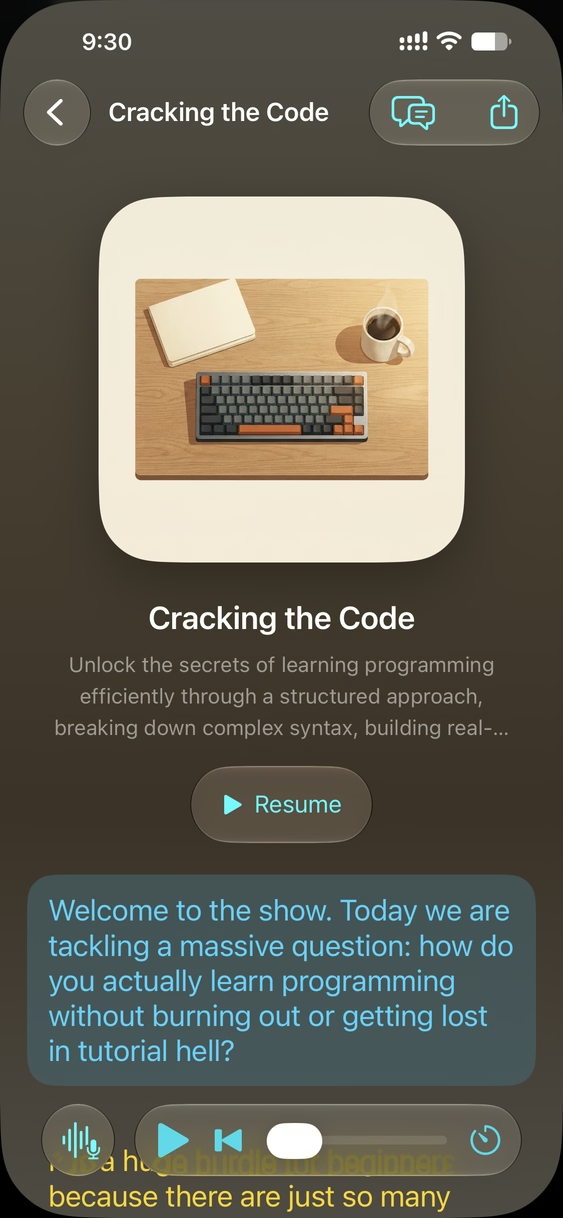
  • The Podcast It player for the episode Cracking the Code, showing its cover art, a Resume button, and the transcript line being spoken highlighted.
    Listen and read along
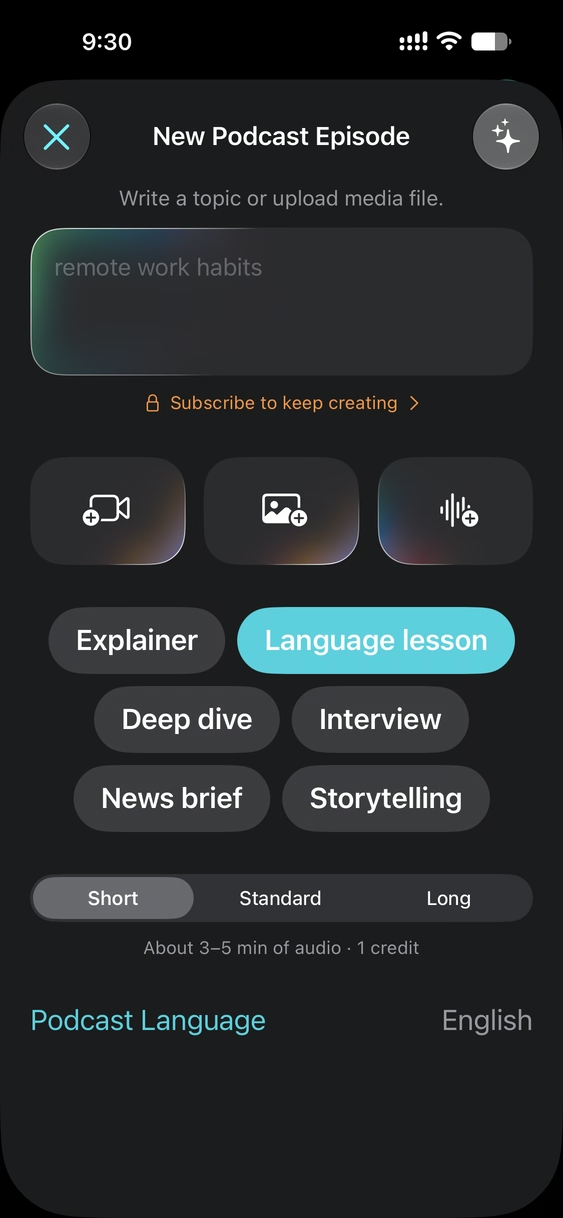
  • The New Podcast Episode screen with a topic field, media buttons, episode styles, lengths, and podcast language.
    Start from a topic or media
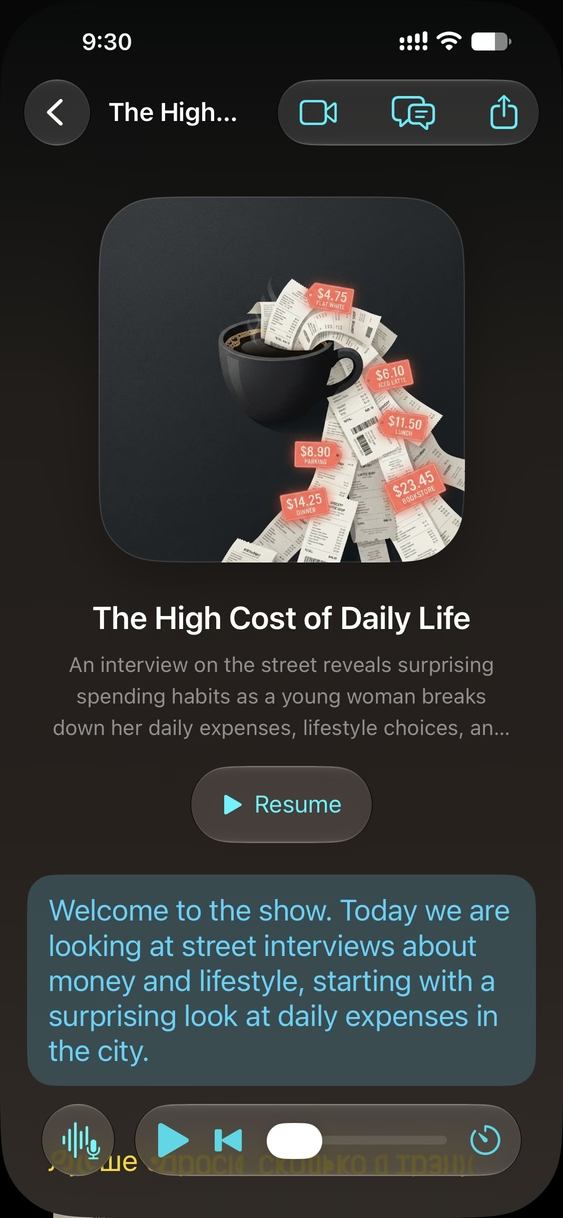
  • An episode made from a street interview video, with a button to open the source video.
    Understand any video
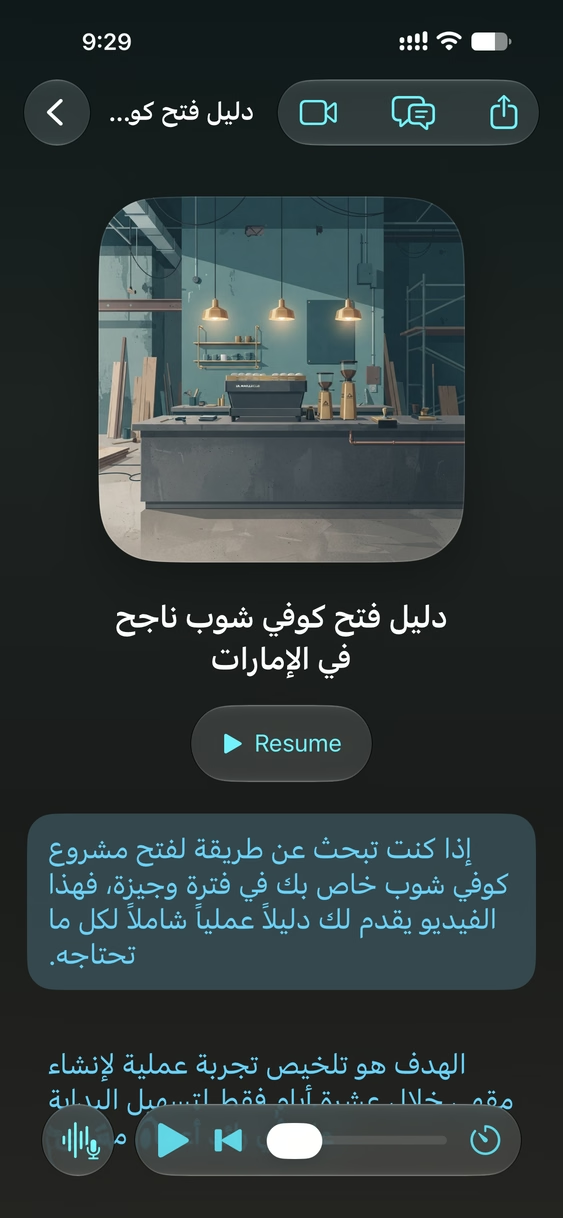
  • An Arabic episode with its transcript in Arabic script.
    Episodes in 20 languages
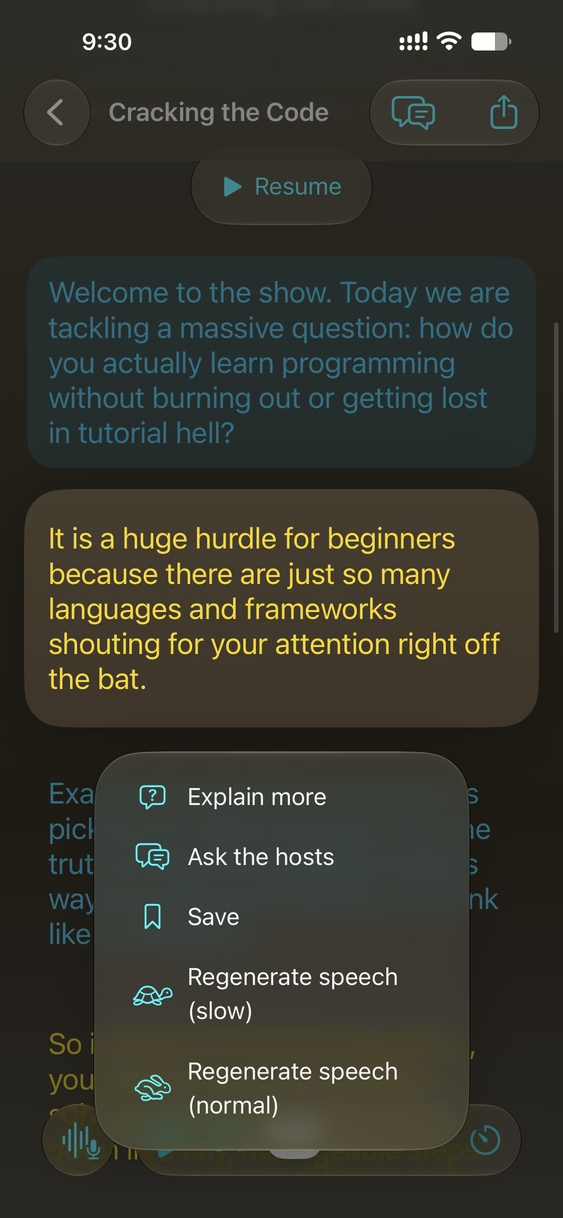
  • A transcript line menu with Explain more, Ask the hosts, Save, and Regenerate speech.
    Ask the hosts
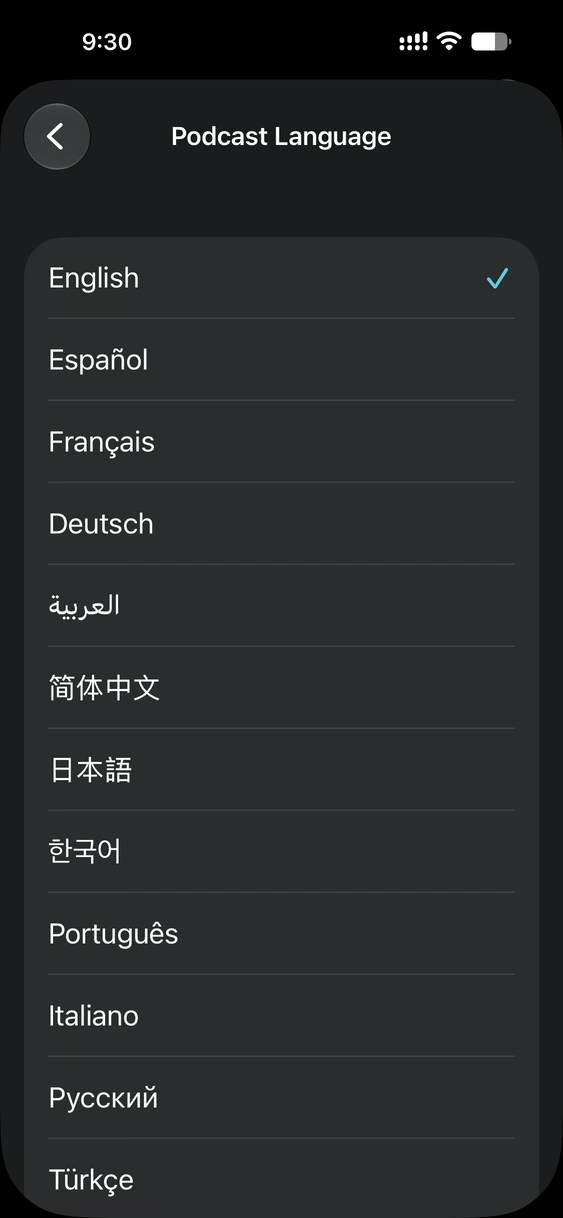
  • The Podcast Language picker listing languages in their own scripts.
    Pick the podcast language
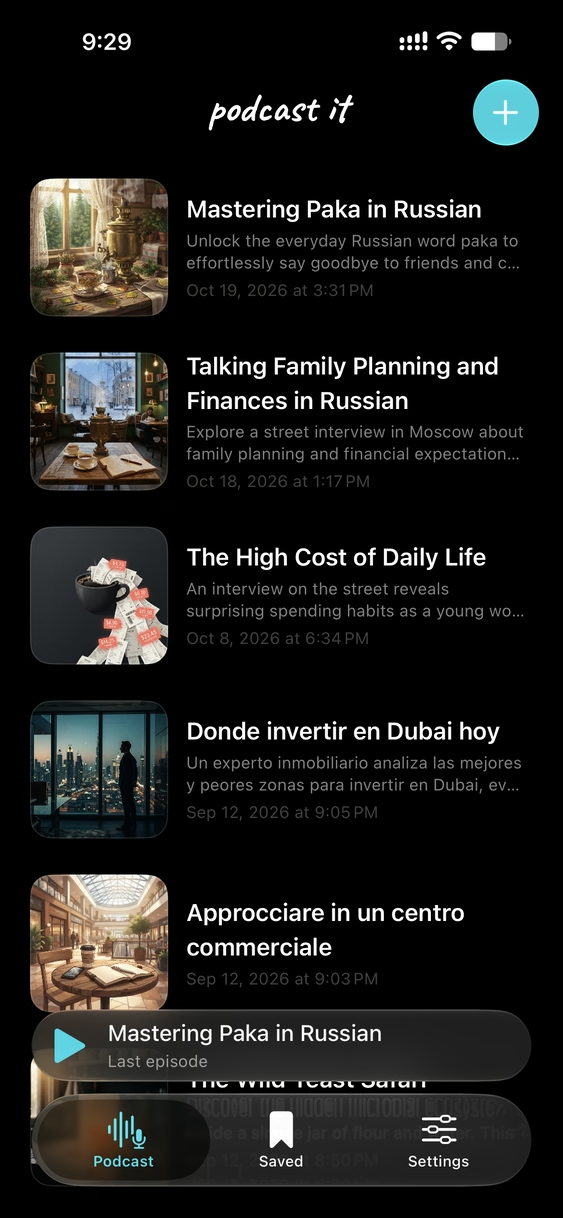
  • The Podcast It library of episodes with cover art.
    Your library
How it works

From an idea to an episode in three steps

  1. Start with anything

    Type a topic, or add a video, a photo, or an audio recording. Add a few words alongside the media to steer what the episode focuses on.

  2. Pick a style, length, and language

    Choose one of six styles, a length from 3 to 20 minutes, and any of 20 podcast languages.

  3. Listen, read, and ask

    The script streams in as it is written, with cover art and voices to follow. Read along, save lines, and pause to ask the hosts a question.

Create

Make a podcast from a topic, a video, an image, or audio

Write a topic like “remote work habits” and get a finished episode. Or attach the thing you want to understand, and the hosts talk you through it.

  • Videos: lectures, street interviews, clips in another language
  • Images: a photo of a menu, a sign, a diagram, a page of notes
  • Audio: a voice memo, a recording, a song
  • Videos and photos from your Photos library, audio from Files, up to 45 MB each
The New Podcast Episode screen with a topic field, buttons to add a video, an image, or audio, the six episode styles, Short, Standard, and Long lengths, and the podcast language.
New episode: a topic, media, or both
Understand

Understand foreign-language videos

Give Podcast It a video in a language you do not speak and get an episode about it in one you do. The hosts explain what is being said, who is saying it, and why it matters. Tap the video button to watch the original from the moment you are listening to.

  • Street interviews, news segments, and talks explained in your language
  • A transcript you can read at your own pace
  • Ideal for studying, research, and travel prep
The episode The High Cost of Daily Life, made from a street interview video, with a button to open the source video and the transcript below the cover art.
An episode made from a street interview video
Learn

Learn a language by listening

The Language lesson style pairs a teacher who explains in your language with a native speaker of the language you are learning. You get useful phrases, vocabulary, pronunciation tips, grammar patterns, and the cultural context behind them.

  • Target-language lines stay in their own script, so Arabic reads as Arabic and Japanese as Japanese
  • Replay any line slowly to catch every sound
  • Turn a video or a photo of real-world text into a lesson
An Arabic episode about opening a successful coffee shop in the UAE, with the transcript written in Arabic script.
An episode in Arabic
The Podcast Language picker listing English, Español, Français, Deutsch, العربية, 简体中文, 日本語, 한국어, Português, Italiano, Русский, and Türkçe.
20 podcast languages
Interact

Ask the hosts anything, mid-episode

Lost on a line? Touch and hold it. The hosts answer your question as a short spoken exchange, woven into the episode right where you paused, then carry on.

  • Ask the hosts a follow-up question in your own words
  • Explain more to unpack a phrase or idea
  • Save a line to come back to later
  • Regenerate speech slowly or at normal speed
A menu on a transcript line with the actions Explain more, Ask the hosts, Save, Regenerate speech (slow), and Regenerate speech (normal).
Actions on any line of the transcript
Keep

Your own podcast library

Every episode lands in your library with its own cover art, summary, and transcript, ready to resume where you left off.

  • Episodes keep generating if you leave the app, with a notification when one is ready
  • Private by default; share a link when you want someone to listen
  • Works on iPhone and iPad, including Split View and Stage Manager
The Podcast It library listing episodes such as Mastering Paka in Russian, Talking Family Planning and Finances in Russian, The High Cost of Daily Life, and Donde invertir en Dubai hoy.
Your library of episodes
Episode styles

Six ways to hear it

Every episode has two voices, a Host and a Guest. The style decides how they share the conversation.

Explainer

The host unpacks the subject step by step, while the guest asks the questions a curious listener would and adds concrete examples.

Language lesson

A teacher explains in your language and a native speaker models the one you are learning: phrases, vocabulary, pronunciation, grammar, and culture.

Deep dive

Two analysts dig beneath the surface: causes, trade-offs, second-order effects, open questions, and honest disagreement.

Interview

The host asks short, pointed questions and the guest answers as the expert, with stories and specifics.

News brief

A tight, information-dense bulletin: what happened, why it matters, and what comes next.

Storytelling

A narrated story with a clear arc, where the guest voices the characters, quotes, and witnesses.

  • Short · 3–5 min
  • Standard · 8–12 min
  • Long · 15–20 min
Languages

Podcasts in 20 languages

Pick the language the hosts speak. For a language lesson, that is the language the teacher explains in, and the episode teaches whichever language your topic or media is about.

  • EnglishEnglish
  • EspañolSpanish
  • FrançaisFrench
  • DeutschGerman
  • العربيةArabic
  • 简体中文Chinese (Simplified)
  • 日本語Japanese
  • 한국어Korean
  • PortuguêsPortuguese
  • ItalianoItalian
  • РусскийRussian
  • TürkçeTurkish
  • हिन्दीHindi
  • NederlandsDutch
  • PolskiPolish
  • SvenskaSwedish
  • Bahasa IndonesiaIndonesian
  • Tiếng ViệtVietnamese
  • ไทยThai
  • עבריתHebrew
Pricing

Free to try, weekly plans to keep going

Episodes are paid for in credits. A Short episode costs 1 credit, Standard 2, and Long 4. Asking the hosts, Explain more, and regenerating speech are always free.

Free

$0

2 credits to try Podcast It, enough for two Short episodes or one Standard.

Basic

$7.99 / week

15 credits every week: up to 15 Short episodes.

Prices are in US dollars; the App Store shows the price in your local currency. Subscriptions renew weekly until cancelled in your Apple Account settings. Unused credits do not roll over.

FAQ

Questions and answers

What is Podcast It?

Podcast It is an app for iPhone and iPad that turns a topic, a video, an image, or an audio clip into a podcast episode. Two AI hosts, a Host and a Guest, talk through the subject, and every episode comes with a transcript that highlights each line as it is spoken, plus its own cover art.

What can I make a podcast from?

Type any topic, or attach a video or photo from your Photos library or an audio file from Files, up to 45 MB. You can combine a topic with media to tell the hosts what to focus on, for example a lecture video plus “explain the second half”.

Can Podcast It explain a video that is in another language?

Yes. Attach the video and choose the language you want to listen in. The hosts explain what is said in the video in your language, and the original video opens at the moment the current line is about.

How does Podcast It help me learn a language?

Choose the Language lesson style. A teacher explains in your podcast language while a native speaker of the target language models phrases, vocabulary, pronunciation, and grammar. Target-language lines stay in their native script, and any line can be replayed slowly.

Which languages are supported?

Episodes can be made in 20 languages: English, Spanish, French, German, Arabic, Chinese (Simplified), Japanese, Korean, Portuguese, Italian, Russian, Turkish, Hindi, Dutch, Polish, Swedish, Indonesian, Vietnamese, Thai, and Hebrew.

How long are the episodes?

You choose: Short episodes run about 3–5 minutes, Standard about 8–12 minutes, and Long about 15–20 minutes.

Can I ask the hosts questions while I listen?

Yes. Touch and hold any line of the transcript and choose Ask the hosts. They answer with a short spoken exchange that is added to the episode right where you paused. Explain more, saving lines, and slow replays are on the same menu. All of these are free.

How much does Podcast It cost?

Podcast It is free to download and includes 2 credits to try it. Basic is $7.99 a week for 15 credits and Pro is $19.99 a week for 60 credits (US prices). A Short episode costs 1 credit, Standard 2, and Long 4.

Which devices does Podcast It run on?

Podcast It runs on iPhone and iPad with iOS 26 or iPadOS 26 or later. On iPad it works in any orientation and in Split View and Stage Manager.

Are my episodes private?

Yes. Episodes are private until you choose to share one, which creates a web link anyone with the link can open to listen and read the transcript. Questions you ask the hosts are kept on your device and never included in a shared link.

Is the content generated by AI?

Yes. Scripts, voices, and cover art are generated by AI from your topic and media. Episodes are written to be accurate and easy to follow, but check important facts against a primary source.

Podcast everything you are curious about

Your first two episodes are on us.

Download Podcast It on the App Store